

Deleting your account permanently deletes all your references, notes, PDFs and materials. It can’t be undone.Deleting your account doesn’t cancel your subscription. If you have one, cancel it first: see Upgrade, change or cancel your plan.
- Go to Settings → Account.
- Under Account deletion, click Delete account.
-
Type
DELETEin Type DELETE to confirm.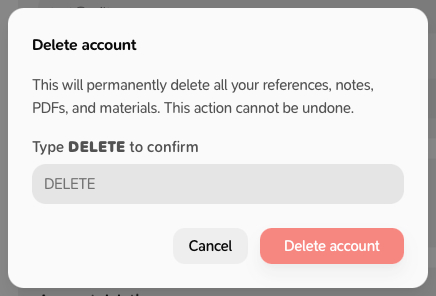
- Click Delete account.