

How many credits you get
- Free plan: 300 credits, once, to try the AI features. They don’t renew.
- Subscription: 3,000 credits every month. They renew each billing month; unused monthly credits don’t carry over.
- Referral credits: see Refer a friend.
- Credit packs: credits you buy never expire.
Check your balance
Go to Settings → Plan and billing. The AI usage card shows the credits you’ve used and what’s left, any bonus credits, and when your monthly credits renew.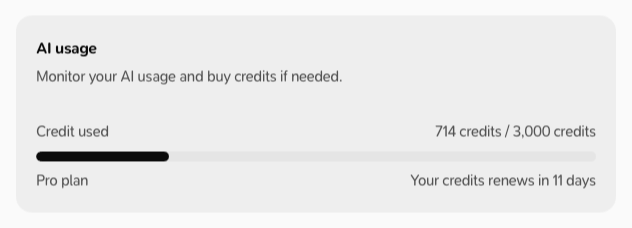
Buy more credits
- Go to Settings → Plan and billing.
-
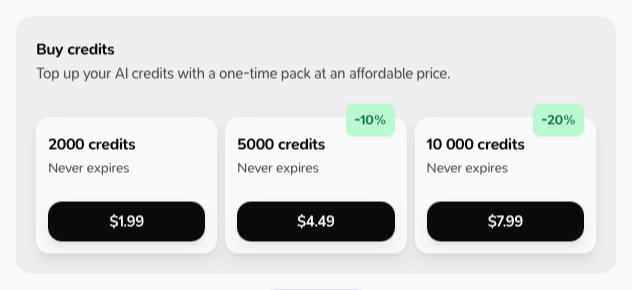
Under Buy credits, choose a pack (2,000, 5,000 or 10,000 credits).
- Pay in your browser, then go back to Milton.
When you run out
- On a subscription, Milton shows Not enough credits for this task with a Buy credits option. After you buy, it says “Your credits are ready — you can keep going.”
- On the free plan, Milton offers to upgrade.